How to block YouTube Shorts on Android
You want YouTube for tutorials, music and the channels you actually follow, but every visit ends with twenty minutes of swiping Shorts. Here is what YouTube lets you do, why it isn't enough, and how to remove only Shorts without uninstalling anything or rooting your phone.
Android 8.0 or newer · no root · 7-day Premium trial
Can you turn off Shorts inside YouTube?
There is no official switch. What you get are workarounds:
- “Not interested” on the Shorts shelf on the home page. It hides it for a while, then it comes back.
- Pausing your watch history. It empties the home page recommendations, but the Shorts tab is still one tap away.
- Break reminders and time limits in YouTube's settings. They are prompts you dismiss with one tap, right when you least feel like stopping.
- Watching YouTube in the browser or using modded apps. It half-works, you lose features, and modded apps put your account at risk.
The underlying problem: YouTube earns more the longer you stay. None of its own settings will ever be a real brake.
Block only Shorts with 0Dopamine
0Dopamine detects when you land in Shorts — from the tab, from a Short on the home page or from a link someone sent you — and takes you out. The rest of YouTube works as usual: search, subscriptions, long videos and playlists.
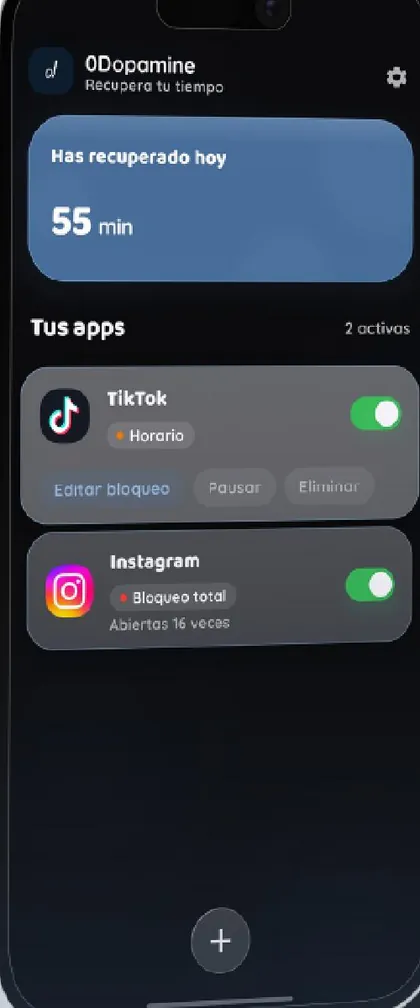
- Install 0Dopamine from Google Play and turn on the accessibility permission it asks for. That is what lets it see which screen is open; everything is processed on your phone.
- Add YouTube to your apps.
- Turn on “Block Shorts”. Add a schedule if you like: for example, Shorts blocked Monday to Friday and allowed at weekends.
What happens when you open a Short
Instead of the video you get one simple question: “Do you really want to see this?” Three ways out:
- Go back to where you were in YouTube.
- Close YouTube altogether.
- Watch just this one, then it closes: if someone sent you a specific Short, you watch it; swipe to the next one and the app closes itself. One video doesn't turn into forty.
If you'd rather not even have that option, strict mode closes YouTube the moment it detects a Short — no screen, no buttons.
Is it free?
The free version of 0Dopamine controls one whole app with every mode (pause, full block, schedule, daily limit and 4-7-8 breathing), with up to 2 hours of blocking a day. Blocking Shorts and Reels inside the app and “watch just this one” are part of Premium: €1/month with a 7-day trial, or a one-time €59.99. Ads are optional: you can watch one to get a day of Premium.
Privacy: 0Dopamine doesn't read your messages, passwords or what you watch. It only checks which app and screen are open, and that never leaves your phone. Details in the privacy policy.
Quick questions
Does it work with YouTube Premium or YouTube Kids?
It works with the official YouTube app, Premium or not. YouTube Kids is a separate app: you can block it entirely or put it on a schedule.
What about the browser?
0Dopamine is built for apps. If you tend to watch Shorts in Chrome, give Chrome a daily limit or a pause before it opens.
Do I need root?
No. It uses Android's standard accessibility service and runs on any phone with Android 8.0 or newer.