How to block Instagram Reels on Android
Instagram is for talking to your friends and seeing what the people you care about are up to. Reels are something else: a rabbit hole designed so you never leave. This guide explains why Instagram won't let you turn them off and how to block them on Android without losing your DMs or your feed.
Android 8.0 or newer · no root · 7-day Premium trial
Can you turn off Reels in Instagram?
No. The Reels tab sits in the middle of the app and there is no setting to hide it. What Instagram does offer:
- A daily time limit (under Your activity › Time spent). It tells you when you hit it, but you dismiss it and carry on.
- Take-a-break reminders. Same problem: one tap and they're gone.
- Quiet mode, which pauses notifications. It helps you open the app less, but doesn't change what happens inside.
- “Not interested” on individual Reels. It tunes what you see, not how much.
Deleting the app rarely works either: you lose your messages and reinstall it two days later.
Block only Reels with 0Dopamine
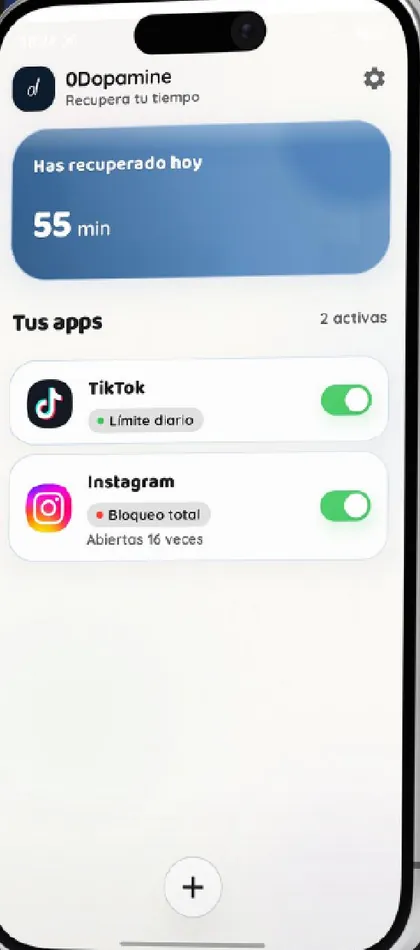
0Dopamine recognises the Reels screen and takes you out of it. Your feed, your friends' stories, search and direct messages keep working.
- Install 0Dopamine from Google Play and turn on the accessibility permission.
- Add Instagram to your apps.
- Turn on “Block Reels”. Add a schedule if you only want it during, say, working hours or after 11 pm.
For Reels friends send you, you choose: with “Allow Reels from messages (DMs)” you can watch the one a friend sent, and as soon as you swipe to the next one it is blocked again. You keep the conversation without getting sucked in.
Facebook, WhatsApp and the rest
It works the same way with Facebook Reels and with short content in other apps: WhatsApp Status, Snapchat Spotlight, videos on X and LinkedIn, or Pinterest Idea Pins. Each app has its own switch and its own schedule.
If you want to rein in Instagram as a whole and not just Reels, use the other modes: a 4-7-8 breathing pause before it opens, a daily limit in minutes, a schedule, or a full block with your own message.
How much does it cost?
For free you can control one whole app with every mode. Blocking Reels and Shorts inside apps is part of Premium (€1/month, 7-day trial) or the one-time €59.99 purchase. You can also watch an ad, if you want, to get a day of Premium.
What 0Dopamine can't see: your messages, photos, passwords or which Reels you watch. It only needs to know which screen is open, and that stays on your phone.
Quick questions
Will Instagram know?
No. 0Dopamine doesn't touch your account or the Instagram app; it only acts on your phone when the Reels screen shows up.
Can I get around it?
Yes, if you really try: it is a nudge to stop and think, not parental control. The point is just enough friction to stop opening Reels on autopilot.