
Google Digital Wellbeing alternative: what it does and what it's missing
Almost every Android phone ships with Digital Wellbeing (on Samsung, “Digital Wellbeing and parental controls”). It's free, it's built in, and for some people it's enough. If you're reading this, it probably isn't for you. Let's look at what it does well, where it falls short, and what changes with 0Dopamine.
What Digital Wellbeing does well
- Usage dashboard: how long you spend in each app, how often you unlock your phone and how many notifications you get.
- App timers: set a daily time per app and, once it runs out, the app turns grey until the next day.
- Focus mode: pauses the apps you choose, manually or on a schedule.
- Bedtime mode: greyscale screen and Do Not Disturb at bedtime.
For measuring and setting an overall cap, it's fine. And there's nothing to install.
Where it falls short
- It treats each app as one block. It can't remove Shorts and leave you the rest of YouTube, or block Reels without blocking Instagram DMs. If what hooks you is one section, your only option is to cut off the whole app.
- It's skipped in seconds. The timer can be removed or extended from settings in two taps, without a second thought.
- There's no moment of pause. Either the app is available or it's grey. Nothing in between makes you ask whether you really want to open it.
- It measures, but doesn't help in the moment. Seeing your weekly hours on Sunday rarely changes what you do on Monday.
Comparison
| Digital Wellbeing | 0Dopamine | |
|---|---|---|
| Price | Free, comes with Android | Free for 1 app (up to 2 h of blocking a day); Premium €1/month |
| Daily limit per app | Yes | Yes |
| Scheduled blocking | Yes (Focus mode) | Yes, per app |
| Block only Shorts, Reels or Status | No | Yes (Premium) |
| Pause or breathing before opening | No | Yes: pause and 4-7-8 breathing |
| Full block with your own message | No | Yes |
| “Watch just this one”, then close | No | Yes (Premium) |
| Usage stats | Yes, very detailed | Yes: time saved and opens |
The real difference: friction at the right moment
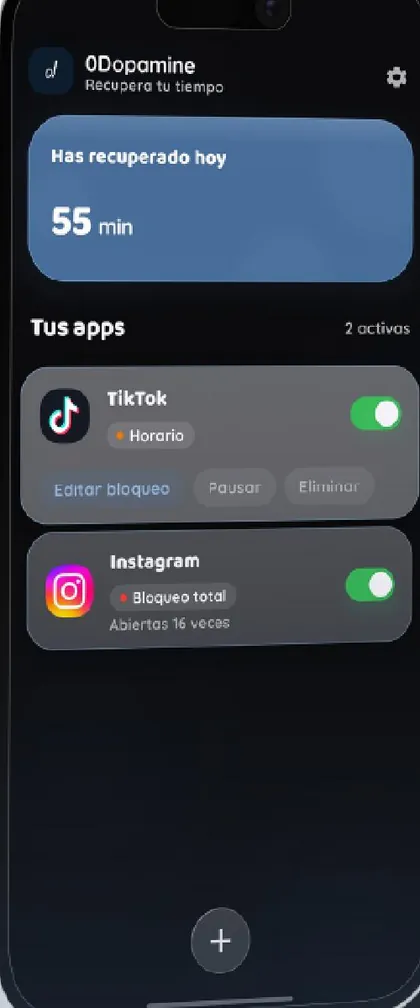
Endless scrolling works because opening the app costs nothing. 0Dopamine adds a small cost at exactly that moment: a screen asking whether you really want to watch this, a few seconds of breathing, or a message you wrote yourself. It doesn't forbid anything; it hands the decision back to you.
And because it acts inside apps, you don't have to choose between “no YouTube” and “endless Shorts”. Keep the useful part, lose the rabbit hole.
Can you use both?
Yes. You can keep Digital Wellbeing for stats and bedtime mode, and use 0Dopamine to block short video and add pauses. They don't get in each other's way.
Try it free with one app · Premium with a 7-day trial